
If you are new to machine embroidery, one of the first things you will discover is that embroidery file formats can be confusing. You may have a logo in PNG, JPG, SVG, AI, or PDF format, but your embroidery machine may require a completely different file type.
That raises an important question:
What file formats does embroidery digitizing actually support?
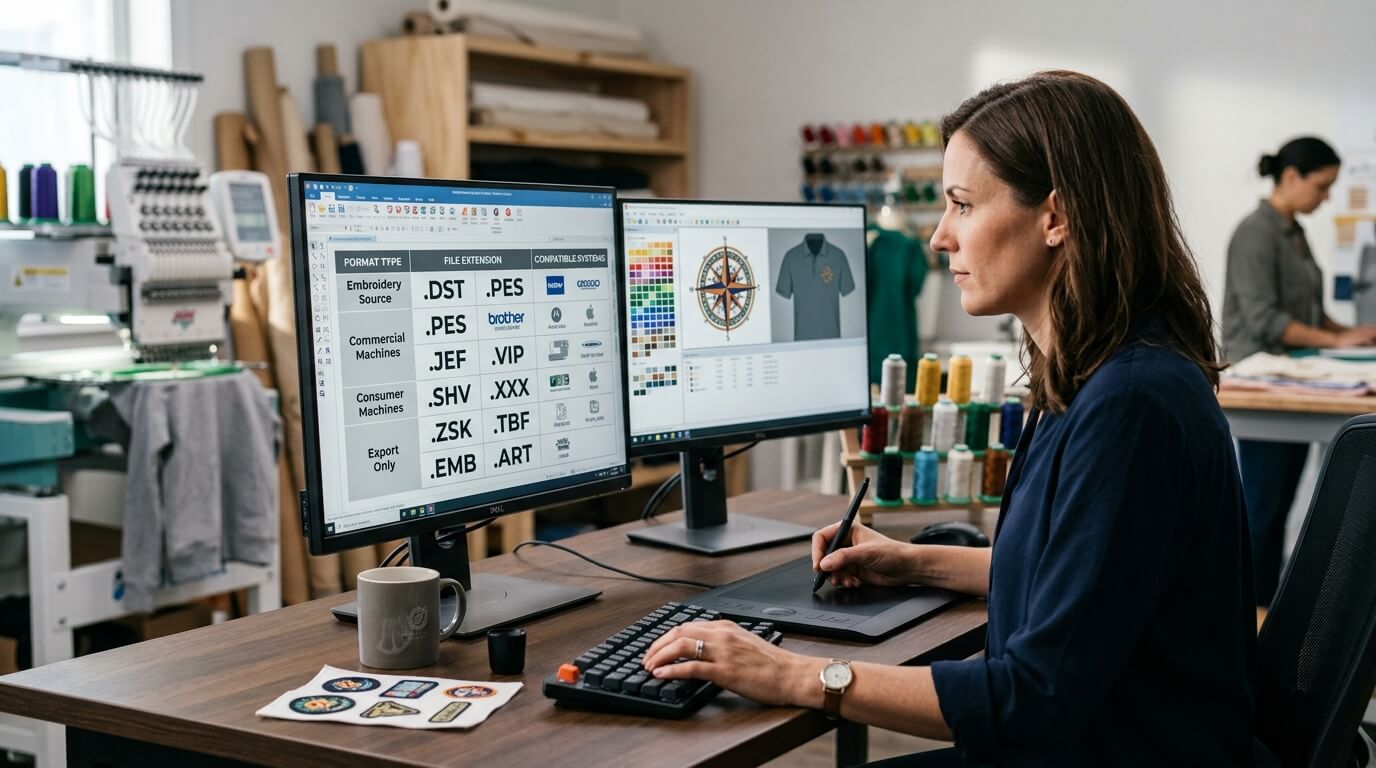
The answer depends on your embroidery machine, software, and production requirements. Popular embroidery formats include DST, PES, JEF, VP3, EXP, HUS, XXX, and several others. However, these formats are not interchangeable in every situation.
More importantly, an image file such as PNG or JPG is not automatically an embroidery file. Your artwork generally needs to be digitized so the embroidery machine understands stitch types, stitch direction, density, sequencing, trims, and other production instructions.
In this guide, we will explain the most common embroidery file formats, what machines they are associated with, the difference between artwork and machine embroidery files, and how to choose the right format for your project.
What Is an Embroidery File Format?
An embroidery file format is a digital file containing instructions that an embroidery machine uses to reproduce a design with thread.
Unlike a normal image file, an embroidery file contains information about how the design should be stitched.
Depending on the format and software, this information can include:
- Stitch coordinates
- Stitch types
- Stitch direction
- Stitch density
- Thread colors
- Stitch sequence
- Needle changes
- Trims
- Jumps
- Machine commands
- Design dimensions
This is why you cannot simply rename a .jpg file to .dst and expect an embroidery machine to understand it.
The design needs to be properly digitized.
If you want to understand the complete process, see our complete guide to embroidery digitizing.
Artwork Files vs. Embroidery Machine Files
Before looking at individual embroidery formats, it is important to understand the difference between artwork files and machine embroidery files.
Common Artwork Formats
These can include:
- JPG
- JPEG
- PNG
- SVG
- AI
- EPS
- TIFF
These files are primarily designed to represent artwork, images, vectors, or documents.
Common Machine Embroidery Formats
These can include:
- DST
- PES
- JEF
- VP3
- EXP
- HUS
- XXX
These formats are designed to communicate embroidery instructions to compatible machines or embroidery software.
For example, a business may provide a logo as an SVG file. The SVG contains vector artwork, but it does not necessarily contain the stitch instructions required by an embroidery machine.
The artwork must be converted and professionally digitized before production.
Our guide on vector conversion and embroidery digitizing explains why artwork conversion and digitizing are separate processes.
The Most Common Embroidery File Formats
Let’s look at the most widely encountered embroidery formats and where they are commonly used.
1. DST Embroidery File
DST is one of the most widely recognized embroidery file formats.
It is commonly associated with commercial embroidery machines and is frequently requested by embroidery digitizing services.
A DST file primarily contains stitch and machine-movement information. Depending on the software used to create or display it, some design information such as thread color names may not be preserved in the same way as in more feature-rich native formats.
DST is particularly common in professional embroidery production because of its broad compatibility.
If your embroidery shop asks for a DST file, that is not unusual.
You can also learn more about this format in our guide to what a DST file is for embroidery.
When Should You Use DST?
DST can be a good choice when:
- Your embroidery machine supports DST.
- Your commercial embroidery operator requests DST.
- You need a commonly accepted production format.
- You are sending files between different embroidery systems.
However, always confirm the required format with your machine operator before ordering.
2. PES Embroidery File
PES is strongly associated with Brother embroidery machines and software.
If you own a Brother embroidery machine, PES may be one of the formats you encounter most frequently.
PES files can contain embroidery design information and are commonly used within compatible Brother-related workflows.
They are popular for:
- Home embroidery
- Small embroidery businesses
- Brother machines
- Personal embroidery projects
If you are specifically working with PES files, you can read our guide on how to convert a file to PES for embroidery.
Is PES Better Than DST?
Not necessarily.
The better format is generally the one your embroidery machine or software requires.
DST may be appropriate for one production environment, while PES may be the correct choice for another.
The key is machine compatibility, not simply choosing the format with the most familiar name.
3. JEF Embroidery File
JEF is commonly associated with Janome embroidery machines.
If you use a compatible Janome system, JEF may be the required or preferred format.
As with other embroidery formats, the file contains machine-readable embroidery instructions rather than simply displaying artwork.
If you have artwork in PNG format and need it converted for a compatible Janome machine, proper digitizing is still required before the final JEF file can be produced.
For example, our PNG to JEF converter guide covers this type of workflow.
4. VP3 Embroidery File
VP3 is commonly associated with Husqvarna Viking and related embroidery systems.
It is another embroidery-specific format designed to contain information required for stitching a design.
VP3 can be useful when working within compatible embroidery software and machines.
Because different embroidery systems interpret file formats differently, you should always verify compatibility before sending a design to production.
5. EXP Embroidery File
EXP is another embroidery format that may be encountered in professional embroidery workflows.
It is associated with certain commercial embroidery systems and software environments.
EXP files can contain stitch information required for machine embroidery, but the exact workflow and color handling can depend on the software and machine environment.
If your machine or embroidery operator specifically requests EXP, providing the correct digitized file is more important than attempting to convert a random image directly into the format.
6. HUS Embroidery File
HUS is associated with Husqvarna Viking embroidery systems.
Like other machine-specific formats, HUS is designed for compatible embroidery equipment and software.
If your machine requires HUS, your digitizer should know that requirement before preparing the final file.
Providing the machine information at the beginning can help prevent unnecessary conversions later.
7. XXX Embroidery File
XXX is another embroidery format associated with certain embroidery systems.
It can be encountered in older or specific machine workflows.
Although it may be less commonly discussed than DST or PES, compatibility with the specific embroidery machine remains the deciding factor.
Why Can’t You Use PNG or JPG Directly for Embroidery?
This is one of the most common questions from beginners.
A PNG or JPG contains pixels.
An embroidery machine needs stitch instructions.
For example, a PNG may tell your computer:
This area contains red pixels.
But the embroidery machine needs to know:
- Where should stitching begin?
- Which stitch type should be used?
- What direction should the stitches run?
- How dense should the stitches be?
- Where should the needle move?
- When should the thread change?
- Where should the machine trim?
- How should the design be stabilized?
That information has to be created during digitizing.
This is why PNG to DST conversion is not simply a file-extension change.
You can learn more about this process in our guide on how to convert PNG to DST.
What Is the Difference Between Converting and Digitizing?
These two terms are sometimes used interchangeably, but they are not exactly the same.
File Conversion
File conversion changes a file from one compatible format into another.
For example:
DST → PES
or:
PES → another supported embroidery format
The underlying embroidery instructions may remain substantially the same, depending on the software and conversion process.
Embroidery Digitizing
Digitizing creates the actual stitch plan from artwork.
For example:
PNG → professionally digitized embroidery design → DST
or:
SVG → professionally digitized embroidery design → PES
The important stage is the creation of the stitch structure.
If you simply convert artwork without properly digitizing it, the final embroidery may have poor density, incorrect sequencing, weak detail, or other production problems.
Which Embroidery File Format Is Best?
There is no single embroidery format that is best for every machine.
The correct format depends on:
- Embroidery machine brand
- Machine model
- Embroidery software
- Production environment
- File requirements
- Operator preferences
For example:
| Embroidery Format | Common Association |
|---|---|
| DST | Commercial embroidery systems |
| PES | Brother |
| JEF | Janome |
| VP3 | Husqvarna Viking |
| HUS | Husqvarna Viking |
| EXP | Certain commercial embroidery workflows |
| XXX | Certain embroidery systems |
These associations are general rather than absolute. Machine and software compatibility should always be confirmed before production.
For a broader comparison, see our guide: DST vs. PES vs. VP3: Which Embroidery File Format Do You Need?.
Why Machine Compatibility Matters
Imagine ordering a professionally digitized logo and receiving a file that your embroidery machine cannot open.
You may then have to:
- Find compatible software.
- Convert the file.
- Check the converted design.
- Recalculate or inspect stitch information.
- Test the design.
- Correct any conversion problems.
That is why it is much easier to provide your machine requirements before digitizing begins.
When ordering an embroidery digitizing service, tell the digitizer:
- Machine brand
- Machine model
- Required file format
- Final design size
- Garment or material
- Intended placement
- Any specific thread requirements
This information helps the digitizer create a more suitable production file.
Can One Embroidery Design Have Multiple File Formats?
Yes.
A professionally digitized design can often be exported into different machine formats when the software and workflow support those formats.
For example, the same logo may need to be supplied as:
- DST
- PES
- JEF
- VP3
However, this does not mean that simply converting between formats will always produce an identical production result.
Some formats preserve more design information than others, and different machines can interpret commands differently.
For commercial production, it is always better to verify the final file on the intended machine.
Why Professional Digitizing Still Matters After Choosing the Format
Selecting the correct file format is only one part of the process.
You can have the correct DST, PES, or JEF extension and still have a poor embroidery design.
The quality of the underlying digitizing matters.
A professional digitizer considers:
Stitch Density
Too many stitches can create bulky embroidery, while too few can produce weak coverage.
Underlay
Underlay helps stabilize the fabric and support the visible stitching.
Stitch Direction
Correct direction can improve shape definition and visual consistency.
Pull Compensation
Fabric can move or distort as stitches are created, so appropriate compensation may be required.
Stitch Sequence
The order of stitching can affect registration, trims, jumps, and production efficiency.
Design Size
Small embroidery requires different treatment from large embroidery.
This is why choosing a professional logo digitizing service can be more important than simply selecting a file extension.
Embroidery File Formats for Logos
Business logos are among the most common designs that need digitizing.
A company may have its logo in:
- PNG
- JPG
- SVG
- AI
- EPS
The embroidery digitizer then creates a stitch-based version suitable for the requested machine.
Depending on the machine, the final production file could be DST, PES, JEF, VP3, or another supported format.
However, a logo may also need different versions for different applications.
For example:
Small left-chest logo:
May require simplified details and smaller lettering.
Cap logo:
May require special stitch planning because of the curved surface.
Large jacket-back logo:
Can accommodate more detail and larger elements.
This is why how to digitize a logo for embroidery is an important topic for businesses using embroidered branding.
Do You Need a Vector File for Embroidery Digitizing?
Not necessarily.
A digitizer can often work with raster artwork such as JPG or PNG.
However, clean vector artwork such as SVG, AI, or EPS can make it easier to identify shapes, outlines, and design elements.
If your logo is low-resolution or blurry, artwork cleanup may be necessary before digitizing.
It is also important to understand that a vector file is still not the same thing as an embroidery file.
A vector describes graphical shapes.
An embroidery file describes stitches.
For more information, see what is a vector file?.
Can SVG Be Converted Directly to an Embroidery File?
SVG is a vector format, but an SVG file does not automatically contain embroidery instructions.
It can provide useful source artwork for digitizing, but the design still needs to be translated into embroidery stitches.
A professional workflow may look like this:
SVG artwork → embroidery planning → digitizing → stitch editing → machine-specific export
You can also read about SVG to embroidery file conversion for additional information.
What Happens If You Use the Wrong File Format?
Using an unsupported format can result in:
- The machine refusing to open the file
- Missing design information
- Incorrect thread colors
- Unexpected stitch behavior
- Conversion problems
- Production delays
Even when a file opens successfully, it should still be tested.
The safest approach is to determine the required format before ordering your digitizing work.
How to Prepare Your Logo for Digitizing
Before sending artwork to a digitizer, gather the following information:
1. Original Artwork
Provide the highest-quality logo available.
2. Final Embroidery Size
Tell the digitizer the intended width and height.
3. Garment Type
Specify whether the design will be used on:
- Caps
- Polos
- Jackets
- T-shirts
- Hoodies
- Bags
- Uniforms
- Patches
4. Machine Information
Provide the machine brand and model if known.
5. Required File Format
Confirm whether you need DST, PES, JEF, VP3, or another format.
6. Thread Colors
If your brand has specific colors, communicate them clearly.
7. Placement
Explain where the design will be embroidered.
This information gives the digitizer a much clearer understanding of the production requirements.
Common Embroidery Digitizing Mistakes to Avoid
Even with the correct file format, poor digitizing can create production problems.
Some common mistakes include:
- Excessive stitch density
- Poor underlay
- Incorrect stitch sequencing
- Too much detail in a small design
- Very small lettering
- Incorrect stitch direction
- Poor pull compensation
- Using one design size for every application
- Failing to test the file
For a detailed overview, read 5 embroidery digitizing mistakes to avoid.
Should You Keep the Original Embroidery File?
Absolutely.
If you regularly use the same embroidered logo, keep the original editable/master design as well as the machine-ready files.
A master file can be useful if you later need:
- A different size
- A different machine format
- A cap version
- A patch version
- A simplified version
- A new color arrangement
- A different garment application
This can save time compared with rebuilding the design from scratch.
How File Formats Affect Embroidery Businesses
For embroidery businesses, understanding file formats is especially important.
Customers may send artwork in almost any format.
One customer may provide a PNG.
Another may provide an SVG.
Another may send a PDF.
Another may already have a DST file.
The embroidery business needs to understand whether the supplied file is:
Artwork that needs digitizing
or
A machine-ready embroidery file.
This distinction can prevent confusion and help businesses quote jobs accurately.
How Professional Digitizing Services Handle File Formats
A professional digitizing service typically starts by reviewing the artwork and understanding the intended application.
The digitizer then creates a stitch plan and exports the design into the requested embroidery format.
The final file should be appropriate for the intended machine and production environment.
For businesses looking for ongoing support, online embroidery digitizing services can make it easier to submit artwork remotely and receive machine-ready files.
Final Thoughts
Understanding embroidery file formats can save you time, money, and production headaches.
Formats such as DST, PES, JEF, VP3, EXP, HUS, and XXX are designed for different embroidery systems and workflows. The correct format depends on your machine and software requirements.
But remember one important point:
The file extension is not what makes an embroidery design good.
The underlying digitizing determines how the machine actually stitches the design.
A professionally digitized logo can have the correct stitch density, sequencing, underlay, stitch direction, sizing, and production settings needed for a cleaner result.
So before ordering embroidery digitizing, don’t simply ask:
“Can you give me a DST file?”
Ask:
“Can you create a professionally digitized file optimized for my machine, garment, size, and application?”
That question focuses on what actually matters: getting an embroidery design that works in production.
If you need professional help turning artwork into a machine-ready embroidery file, explore Rise Digitizing’s embroidery digitizing services and provide your artwork, machine requirements, desired size, and required format.
Frequently Asked Questions
What is the most common embroidery file format?
DST is one of the most widely used embroidery file formats, particularly in commercial embroidery environments. However, the best format depends on your machine and software.
Is PES only for Brother embroidery machines?
PES is strongly associated with Brother embroidery systems, although compatibility can vary depending on software and machine capabilities. Always verify your specific machine requirements.
What file format does Janome use?
JEF is commonly associated with Janome embroidery machines.
What file format does Husqvarna Viking use?
VP3 and HUS are commonly associated with Husqvarna Viking embroidery systems, depending on the specific machine and software.
Can I use a JPG for embroidery?
A JPG can be used as source artwork for digitizing, but it is generally not a machine-ready embroidery file. The artwork needs to be converted into stitch instructions.
Can I convert PNG to DST?
Yes, PNG artwork can be used to create a DST embroidery file, but simply changing the file extension does not digitize the artwork. The design needs to be properly converted into stitches.
Can I convert SVG to embroidery?
SVG can serve as source vector artwork for embroidery digitizing, but it does not automatically contain the stitch instructions required by an embroidery machine.
Which embroidery format should I request from my digitizer?
Ask your embroidery machine operator or check your machine’s documentation first. Then provide the required format to your digitizer before the design is created.
Can one logo be supplied in multiple embroidery formats?
Yes, a professionally digitized design can often be exported into multiple supported machine formats. The exact options depend on the digitizing software and workflow.
Does file format affect embroidery quality?
The file format itself is only one factor. The quality of the underlying digitizing—including stitch density, sequencing, underlay, stitch direction, and sizing—has a major impact on the finished embroidery.
Related Resources
Related Posts