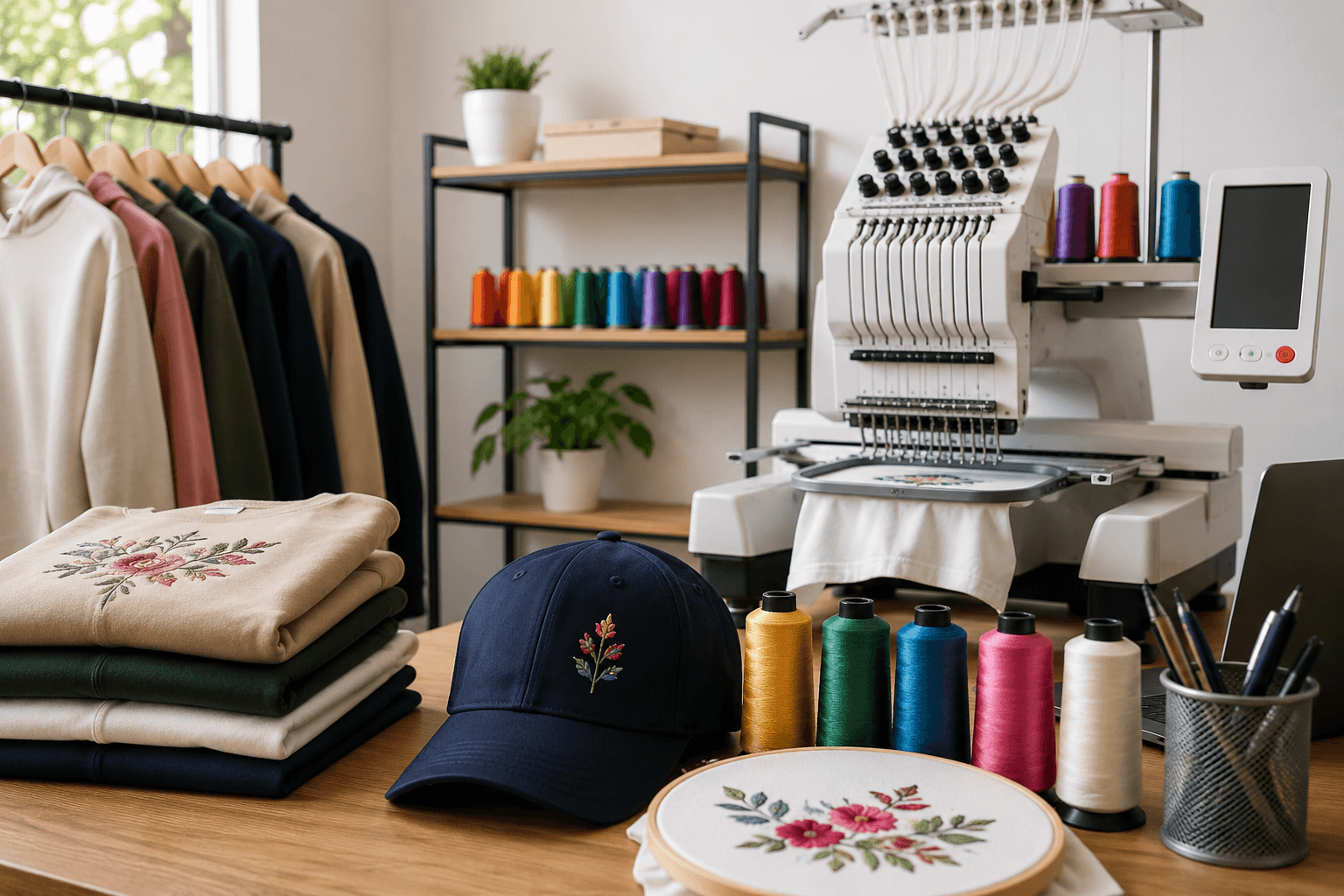
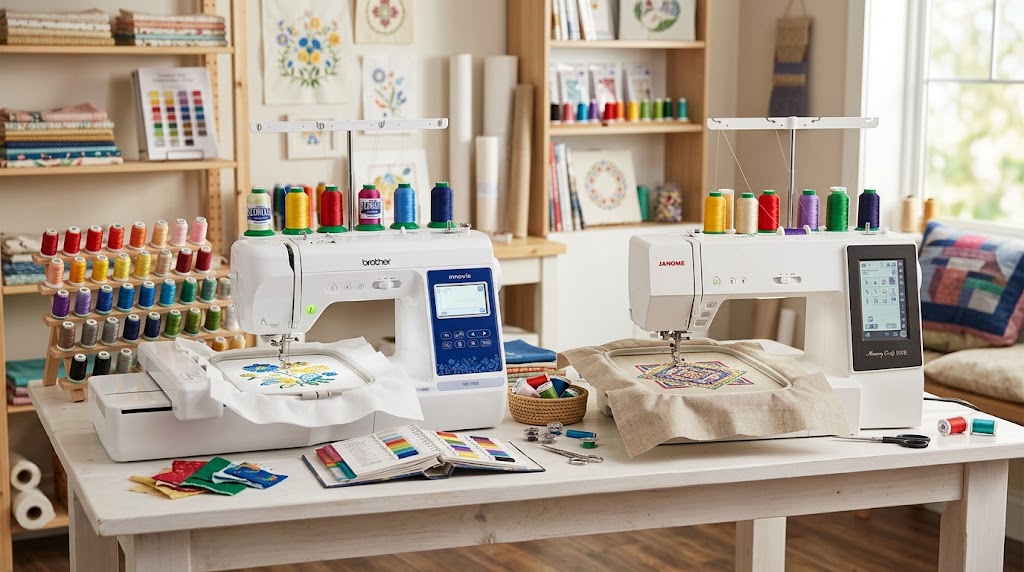

Choosing the right embroidery machine in 2026 is about more than comparing prices, needle counts, or maximum stitch speeds. The best embroidery machine for your business depends on what you plan to produce, how many orders you expect to complete, the size of your designs, the embroidery file formats you use, and how quickly you need to scale production.
A hobbyist making monograms at home has very different requirements from a business producing embroidered hats, jackets, uniforms, patches, polos, and corporate apparel every day.
For a growing embroidery business, the right machine can reduce manual thread changes, improve production consistency, support larger designs, and help you complete more orders without adding unnecessary labor. However, buying the most expensive machine is not automatically the best decision.
This 2026 embroidery machine comparison explains the major machine types, important specifications, business use cases, popular models, operating costs, and the factors you should consider before investing.
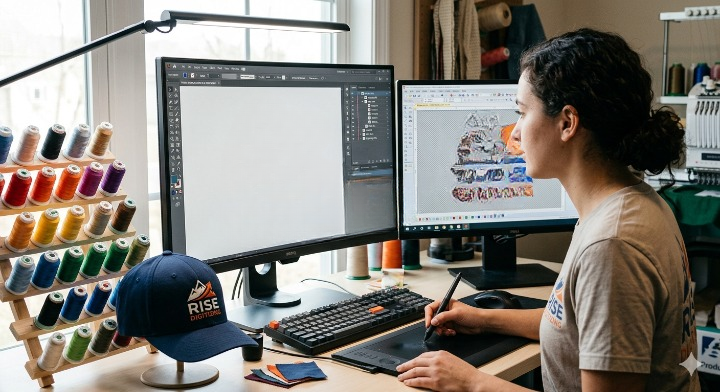
If you are also new to the technical side of embroidery, our complete guide to embroidery digitizing explains how artwork is converted into stitch instructions that an embroidery machine can read.
Quick Answer: Which Embroidery Machine Is Best for a Business?
There is no single machine that is best for every embroidery business.
- Beginners and hobby businesses: A single-needle embroidery machine can be sufficient for low-volume work.
- Growing home businesses: A multi-needle machine is usually a better choice when frequent color changes become a production bottleneck.
- Small commercial embroidery shops: A 6- to 10-needle machine can provide a strong balance between investment and production capability.
- High-volume production: Commercial single-head or multi-head machines are more appropriate when you regularly process large batches.
- Hat and cap businesses: Prioritize cap compatibility, hoop options, needle count, and the ability to work efficiently with curved surfaces.
- Patch businesses: Look for an appropriate embroidery field, reliable stitch quality, and efficient repeat production.
- Large logos and jacket backs: Choose a machine with a larger embroidery field or suitable hooping options.
For many small businesses moving beyond hobby production, the Brother PR680W is an interesting 6-needle option. Brother lists an 8″ × 12″ maximum embroidery area, wireless capability, and speeds of up to 1,000 stitches per minute.
The Janome MB-7 is another business-oriented option, offering seven needles, a maximum embroidery size of 9.4″ × 7.9″, USB design transfer, support for JEF/JEF+/DST formats, and speeds up to 800 stitches per minute.
The important point is this: buy according to your production requirements, not simply the highest specification sheet.
Embroidery Machine Comparison 2026 at a Glance
| Machine Type | Typical User | Needle Count | Best For | Production Level |
|---|---|---|---|---|
| Single-needle home machine | Beginner/hobbyist | 1 | Monograms, small designs | Low |
| Advanced single-needle | Home business | 1 | Custom apparel and smaller orders | Low–medium |
| Multi-needle | Growing business | 4–10+ | Logos, hats, shirts, patches | Medium–high |
| Professional single-head | Commercial shop | 10–16+ | Repeated commercial orders | High |
| Multi-head commercial | Production company | Multiple heads | Large batches | Very high |
These categories are more useful than simply asking which brand is “best.” Your order volume and product mix determine which category makes financial sense.
What Should You Look for in an Embroidery Machine?
Before comparing individual machines, understand the specifications that actually affect your business.
1. Needle Count
Needle count is one of the most important differences between home and business-oriented embroidery machines.
A single-needle machine generally requires manual thread changes when a design uses multiple colors. A multi-needle machine allows several thread colors to remain loaded simultaneously.
For example, imagine a logo requiring six thread colors.
With a single-needle machine, the operator may need to stop and change thread repeatedly.
With a six-needle machine, all six colors can be loaded before production starts.
That does not mean a multi-needle machine eliminates every production stop, but it can significantly simplify multi-color workflows.
For businesses producing logos every day, this can become a major productivity advantage.
2. Embroidery Field Size
The embroidery field determines how large a design can be stitched within a particular hooping setup.
Common business applications include:
- Left-chest logos
- Shirt fronts
- Jacket backs
- Baseball caps
- Tote bags
- Patches
- Sleeves
- Work uniforms
- Sports apparel
A larger field provides more flexibility, but it may also increase machine size, cost, and workspace requirements.
The Brother PR680W, for example, supports an 8″ × 12″ maximum embroidery area.
The Janome MB-7 offers a maximum embroidery size of 9.4″ × 7.9″.
3. Maximum Stitch Speed
Embroidery speed is commonly expressed in stitches per minute, or SPM.
A higher SPM specification does not automatically mean your business will produce finished garments proportionally faster.
Actual production time depends on:
- Stitch count
- Design complexity
- Thread changes
- Trims
- Needle changes
- Color sequencing
- Hoop preparation
- Garment placement
- Machine acceleration
- Operator workflow
For example, Brother states that the PR680W can reach up to 1,000 stitches per minute. Janome lists the MB-7 at up to 800 SPM.
Therefore, compare real production workflow, not maximum SPM alone.
4. File Format Compatibility
Your embroidery machine needs to read a compatible machine embroidery file.
Common formats include:
- DST
- PES
- JEF
- JEF+
- VP3
- EXP
- XXX
Compatibility varies by machine.
For example, Janome lists JEF+, JEF, and DST compatibility for the MB-7.
Before purchasing, confirm which file formats your machine accepts and whether your digitizing workflow can export the required format.
For a deeper explanation, see our guide to embroidery file formats supported.
If you frequently receive PNG, JPG, or other artwork from customers, remember that an image file is not automatically a machine-ready embroidery file. You can learn more in our guide on converting an image to an embroidery file.
Single-Needle vs Multi-Needle Embroidery Machines
One of the biggest decisions for a new embroidery business is whether to purchase a single-needle or multi-needle machine.
Single-Needle Embroidery Machines
Single-needle machines can be a sensible starting point when:
- You are testing the market.
- Your order volume is low.
- Most designs use one or two colors.
- You have a limited startup budget.
- You primarily produce small personalized products.
- You are still learning embroidery production.
They can also be useful for businesses that value versatility and compact equipment over maximum production efficiency.
However, frequent manual color changes can become a bottleneck as order volume grows.
Multi-Needle Embroidery Machines
Multi-needle machines are designed to make multi-color embroidery workflows more efficient.
They are particularly useful for:
- Company logos
- Sports uniforms
- Workwear
- Caps
- Jackets
- Personalized apparel
- Embroidered patches
- Repeated logo orders
If you are changing thread colors throughout the day, moving to multiple needles can reduce operator intervention.
This is one reason Brother positions the PR680W toward users moving from hobby embroidery toward small-business production.
Best Embroidery Machines for Small Businesses in 2026
Brother PR680W — Strong Choice for a Growing Small Business
The Brother PR680W is a six-needle embroidery machine aimed at users moving toward small-business production.
Brother lists:
- 6 needles
- 8″ × 12″ maximum embroidery area
- Wireless connectivity
- 10.1″ HD LCD display
- Up to 1,000 stitches per minute
- Crosshair positioning
- Built-in embroidery designs
- Multiple lettering and monogramming features
Its six-needle configuration allows multiple thread colors to remain loaded, which can be useful for business logos and other multi-color designs.
Best for: Growing home businesses, custom apparel businesses, cap embroidery, uniforms, patches, and small commercial production.
Potential limitation: If your business requires very large production volumes or multiple operators/heads, you may eventually need a more industrial production system.
Janome MB-7 — Seven-Needle Business-Oriented Option
The Janome MB-7 is a seven-needle embroidery machine designed for professional-style embroidery in a relatively compact format.
Janome lists:
- 7 needles
- Up to 800 SPM
- Maximum embroidery size of 9.4″ × 7.9″
- USB design transfer
- JEF+, JEF, and DST compatibility
- 5.7″ Remote Computer Screen
- Built-in designs and lettering fonts
- Programmable jump thread trimming
Best for: Home-based embroidery businesses and users who want multiple needles without immediately moving to a larger industrial setup.
Potential limitation: Its maximum field and speed may not be ideal for every high-volume production environment.
Brother PR1060W — For Businesses Ready to Scale
Brother’s current business lineup also includes the PR1060W, a 10-needle machine designed for higher-level embroidery production.
Brother describes the PR1060W as a 10-needle embroidery machine with an extra-large working area and camera-based precision placement features.
Best for: Established businesses with a consistent order pipeline and a need for greater multi-color flexibility.
Potential limitation: A higher-end machine requires a stronger business case because the initial investment, maintenance, workspace, and operating requirements are greater.
What About Commercial Embroidery Machines?
If your business receives dozens or hundreds of garments in a production run, you should look beyond hobby and entry-level machines.
Commercial embroidery equipment can provide:
- Multiple needles
- Larger embroidery fields
- Higher production capacity
- More robust construction
- Better repeatability
- Advanced thread management
- Commercial hooping options
- Multi-head production capability
Commercial machines from manufacturers such as Brother, Tajima, Melco, and Barudan occupy different parts of the professional market.
For example, Tajima is known for machines ranging from compact single-head equipment to larger multi-head production systems.
At this level, the purchase decision should include dealer support, training, parts availability, service response time, financing, warranty coverage, and expected machine utilization—not just machine specifications.
Embroidery Machine Comparison by Business Type
Best Machine for a Beginner
If you are just learning embroidery, start with a machine that is easy to operate and fits your budget.
You do not necessarily need 10 or 15 needles on day one.
Focus on:
- Ease of use
- Available tutorials
- Hoop size
- File compatibility
- Software compatibility
- Customer support
- Replacement parts
- Upgrade options
Your first goal should be learning the entire production workflow.
Best Machine for a Home Embroidery Business
A home business usually needs a balance between:
- Machine size
- Price
- Production capacity
- Noise
- Ease of operation
- Needle count
- Available workspace
A multi-needle machine can become especially attractive once orders become consistent.
Best Machine for Embroidered Hats
If hats are an important part of your business, do not buy a machine solely because it has a large flat embroidery area.
Check whether it supports the appropriate cap frame or cap attachment.
Cap embroidery also requires specialized digitizing because the curved surface can affect stitch registration, density, underlay, and pull compensation.
Our guide on how to digitize a logo for a baseball cap covers the design considerations involved in cap embroidery.
For businesses specializing in 3D puff caps, you should also understand the additional digitizing requirements. See our guide to 3D puff embroidery on hats and beanies.
Best Machine for Embroidered Patches
Patch production requires a machine that can repeatedly stitch the same design with consistent registration and clean borders.
Important considerations include:
- Hoop size
- Stitch quality
- Production speed
- Thread trimming
- Needle count
- Repeatability
- Stabilizer workflow
- Design density
You can also review our guide to making embroidered patches with an embroidery machine.
Best Machine for Uniforms and Workwear
Uniform businesses often need consistent logos across:
- Polo shirts
- Work shirts
- Jackets
- Safety garments
- Hats
- Bags
- Scrubs
- Corporate apparel
A multi-needle machine can be particularly useful because company logos often contain several colors.
For large recurring orders, reliability and service support may matter more than saving money on the initial machine purchase.
How Much Does an Embroidery Machine Cost in 2026?
Embroidery machine prices vary dramatically.
A basic home embroidery machine can cost far less than a commercial multi-head production system.
The broad categories are:
| Category | Investment Level | Typical Business Use |
|---|---|---|
| Entry-level single needle | Low | Hobby and testing |
| Advanced home machine | Low–medium | Small custom orders |
| Multi-needle | Medium | Growing embroidery business |
| Professional single-head | High | Commercial production |
| Multi-head | Very high | Large production runs |
Current market pricing varies by country, dealer, accessories, financing, and configuration, so avoid relying on a single online price when calculating your business investment.
For example, Janome currently lists the MB-7 at $9,999 on its U.S. product page, while noting that buyers should see a dealer for pricing.
Brother’s U.S. PR680W page also directs customers toward dealer purchasing rather than presenting a simple retail checkout price.
That means you should request a complete quotation rather than comparing machine sticker prices alone.
The Hidden Costs of Buying an Embroidery Machine
The machine itself is only part of the investment.
Your actual startup budget may include:
Embroidery Digitizing
Customers may provide low-resolution logos, screenshots, JPG files, or PNG files.
These usually need to be converted into properly digitized embroidery files.
Poor digitizing can cause:
- Thread breaks
- Fabric puckering
- Poor registration
- Excessive stitch counts
- Unnecessary trims
- Weak small lettering
- Poor coverage
Our guide to professional logo digitizing cost and why quality saves money explains why digitizing quality can affect the total cost of production.
Embroidery Software
Depending on your workflow, you may need:
- Digitizing software
- Lettering software
- Editing software
- Vector graphics software
- Machine management software
If you are researching software, our best digitizing software for embroidery guide can help you compare the major considerations.
Thread
Commercial embroidery requires consistent thread quality.
You may need multiple colors and thread types depending on your customers’ requirements.
Needles
Different fabrics and thread types can require different needle sizes and types.
You can also read our article explaining whether embroidery needles are different from sewing needles.
Stabilizer
Stabilizer is essential for controlling fabric movement during embroidery.
Your requirements can vary depending on:
- Fabric type
- Stitch density
- Design size
- Garment construction
- Hoop type
- Embroidery application
Hoops and Frames
Different products may require different hoop sizes and specialized frames.
If you plan to embroider hats, verify cap-frame availability before purchasing your machine.
Maintenance
Budget for:
- Cleaning
- Lubrication
- Needle replacement
- Thread-path maintenance
- Professional servicing
- Replacement components
A machine that is unavailable for several days during a busy production period can cost more than routine preventive maintenance.
How Many Needles Do You Actually Need?
Needle count should be based on your typical designs.
1 Needle
Good for:
- Simple designs
- Monograms
- Hobby production
- Low-volume orders
4 Needles
Useful for:
- Small businesses
- Multi-color logos
- Personalized apparel
- Moderate production
6–7 Needles
A strong middle ground for many growing businesses.
For example, both the Brother PR680W and Janome MB-7 provide multi-needle workflows, with six and seven needles respectively.
10+ Needles
More useful when:
- Designs frequently use many colors.
- You process larger orders.
- You want fewer manual thread changes.
- You need greater production flexibility.
- Your business has enough revenue to justify the investment.
More needles do not automatically mean more profit. They are valuable when they solve a real production bottleneck.
How Embroidery Digitizing Affects Machine Performance
A high-quality embroidery machine cannot compensate for poor digitizing.
The machine follows the stitch instructions contained in the embroidery file.
A poorly prepared design may have:
- Incorrect stitch direction
- Excessive density
- Poor underlay
- Weak pull compensation
- Too many unnecessary trims
- Tiny lettering that cannot reproduce correctly
- Poor sequencing
This is why the relationship between your embroidery machine and digitizing workflow is so important.
Read our complete guide to embroidery digitizing before investing in equipment.
You may also want to review how many stitches a logo should have because stitch count affects production time, thread consumption, and pricing.
Why Stitch Count Matters When Choosing a Machine
Suppose two customer logos look approximately the same size.
Logo A contains 8,000 stitches.
Logo B contains 30,000 stitches.
They may have dramatically different production times.
Higher stitch counts can result from:
- Complex artwork
- Dense fills
- Multiple layers
- Detailed borders
- Small lettering
- Poor digitizing
- Intentional coverage requirements
For a business, production planning should therefore consider stitches per garment, not just garments per day.
Our embroidery digitizing cost per 1,000 stitches guide provides additional context on this calculation.
What Is Better: Brother, Janome, Tajima, Melco, or Barudan?
There is no universal winner.
Each manufacturer serves different segments and business requirements.
Brother
Brother is a strong consideration for users moving from home embroidery toward small-business production.
The PR680W provides six needles, an 8″ × 12″ field, wireless capability, and up to 1,000 SPM.
Consider Brother if: ease of use, accessible business equipment, wireless features, and a transition from home embroidery are priorities.
Janome
Janome’s MB-7 offers seven needles and an 800 SPM maximum speed, along with JEF/JEF+/DST compatibility.
Consider Janome if: you want a compact multi-needle embroidery solution with professional-style features.
Tajima
Tajima is widely associated with commercial embroidery production and offers equipment across different production scales.
Consider Tajima if: long-term commercial production, industrial workflows, and scalability are central to your business.
Melco
Melco is known for professional embroidery equipment and scalable production solutions.
Consider Melco if: you need advanced commercial production capabilities and want to build toward larger-scale operations.
Barudan
Barudan is another established name in commercial embroidery equipment, particularly for businesses focused on production environments.
Consider Barudan if: your business requires high-volume commercial embroidery and you are prepared for a larger industrial investment.
How to Choose an Embroidery Machine for Your Business
Use this seven-step process before purchasing.
Step 1: Calculate Your Monthly Orders
Estimate:
- Current monthly orders
- Average garments per order
- Average designs per garment
- Average stitch count
- Number of thread colors
- Expected growth
Do not base the purchase entirely on your best month.
Use realistic average demand.
Step 2: Identify Your Main Products
Are you primarily producing:
- Caps?
- T-shirts?
- Polos?
- Jackets?
- Patches?
- Uniforms?
- Bags?
- Towels?
- Monograms?
Your products determine the machine features you need.
Step 3: Determine Required Embroidery Size
Measure your largest typical design.
If most orders are left-chest logos, you may not need an extremely large field.
If jacket backs and large patches are part of your business, a larger embroidery area becomes much more important.
Step 4: Count Your Typical Thread Colors
If most of your designs use two or three colors, a huge needle count may not provide much benefit.
If customers regularly send six-, eight-, or ten-color logos, multi-needle equipment becomes more attractive.
Step 5: Check File Compatibility
Before buying, confirm that the machine accepts the file formats used by your digitizing workflow.
Do not assume that every embroidery machine reads every format.
Step 6: Research Local Service Support
Ask:
- Who services the machine?
- How quickly are parts available?
- Is training included?
- Is installation included?
- What does the warranty cover?
- Is remote support available?
- How much does routine maintenance cost?
A cheaper machine can become expensive if service support is poor.
Step 7: Calculate Your Return on Investment
Estimate:
Monthly embroidery revenue − monthly operating expenses = monthly contribution toward machine investment
Then compare this with your machine and setup cost.
Do not assume that buying a faster machine automatically produces more revenue.
You need enough customer demand to keep the machine working.
Embroidery Machine ROI: When Should You Upgrade?
A good time to upgrade is when your current machine is consistently limiting production.
Common signs include:
- Too many manual thread changes
- Orders taking too long
- Customers waiting too long
- Frequent machine downtime
- You are turning away larger orders
- Your existing hoop size limits products
- Your operator spends too much time supervising simple tasks
- Demand consistently exceeds production capacity
If you only receive a few embroidery orders each month, purchasing an expensive commercial machine may not be financially sensible.
If you have recurring orders every week and production capacity is becoming your bottleneck, an upgrade may make much more sense.
Common Mistakes When Buying an Embroidery Machine
Buying Based Only on Price
The cheapest machine is not necessarily the lowest-cost machine.
Consider the total cost of ownership.
Buying the Most Expensive Machine
The most expensive machine is not automatically the most profitable.
If you do not have sufficient orders, a large machine can tie up capital without generating enough return.
Ignoring Hoop Size
A machine can have excellent speed and needle count but still be unsuitable if your typical designs do not fit your available hoops.
Ignoring Cap Embroidery
If hats are a major part of your business, verify cap-frame compatibility before purchase.
Ignoring Digitizing
Poor embroidery files can make even an excellent machine produce disappointing results.
Comparing SPM Without Considering Stitch Count
Maximum speed is only one part of production time.
Ignoring Service and Training
A machine is a business asset. Dealer support can be extremely important when production deadlines matter.
How to Improve Your Embroidery Workflow After Buying a Machine
Your machine is only one component of a successful embroidery operation.
A professional workflow can look like this:
Customer artwork → Artwork cleanup → Embroidery digitizing → File testing → Machine setup → Hooping → Test stitch-out → Production → Quality control → Final delivery
Each stage can affect the final result.
If your customer sends artwork that is not suitable for digitizing, you may first need vector art conversion before creating the embroidery file.
For more complex designs, review our guide on how to digitize complex patterns.
Embroidery Machine vs Outsourcing Digitizing
Buying a machine does not mean you need to perform every part of the workflow yourself.
Many embroidery businesses outsource digitizing while keeping production in-house.
This can make sense when:
- You want professional stitch files.
- You do not have advanced digitizing skills.
- Your staff is focused on machine production.
- You need consistent results.
- You receive complex customer artwork.
- You want to reduce digitizing software costs.
A professional digitizing service can prepare machine-ready files while your business focuses on production and customer service.
If you need professional digitizing support, explore professional logo digitizing services.
Frequently Asked Questions About Embroidery Machines
What is the best embroidery machine for a small business in 2026?
The best machine depends on your order volume, products, budget, design size, and required needle count. For a growing small business, a multi-needle machine such as the Brother PR680W can be a strong option because it combines six needles, an 8″ × 12″ field, wireless connectivity, and up to 1,000 SPM.
Is a single-needle embroidery machine good for a business?
Yes. A single-needle machine can be suitable for beginners, low-volume businesses, monograms, and businesses that are still testing demand. However, frequent color changes can make single-needle production less efficient as order volume increases.
How many needles should a commercial embroidery machine have?
There is no universal number. Six or seven needles can be enough for many growing businesses, while businesses producing complex multi-color designs may benefit from 10 or more needles.
Is a 6-needle embroidery machine enough for a small business?
For many small businesses, yes. A six-needle machine can handle a wide range of multi-color logos and apparel projects. The Brother PR680W, for example, has six needles and an 8″ × 12″ embroidery area.
What embroidery machine is best for hats?
Choose a machine that supports an appropriate cap frame or cap attachment and has a workflow suitable for curved surfaces. The machine alone is not enough; cap designs also require proper digitizing.
What embroidery machine is best for patches?
Look for reliable stitch quality, appropriate hoop sizes, repeatability, and efficient production. Your digitizing quality is also critical for clean patch borders and detailed designs.
What file format does an embroidery machine use?
It depends on the machine. Common formats include DST, PES, JEF, JEF+, VP3, and others. Always confirm the manufacturer’s supported formats before purchasing.
Janome, for example, lists JEF+, JEF, and DST compatibility for the MB-7.
Is a faster embroidery machine always better?
No. Maximum SPM does not tell the whole production story. Stitch count, thread changes, trims, hooping, design complexity, and operator workflow all affect actual production time.
Should I buy an embroidery machine or outsource embroidery?
If you already have consistent customer demand and want to control production, buying a machine may make sense. If demand is low or unpredictable, outsourcing can reduce upfront investment and equipment risk.
Should I outsource embroidery digitizing?
Outsourcing can be useful if you do not have professional digitizing skills or if your customers provide complex artwork. A properly digitized file can improve stitch quality, production efficiency, and consistency.
Final Verdict: Which Embroidery Machine Is Right for Your Business?
The right embroidery machine in 2026 is the one that matches your actual production requirements.
Choose a single-needle machine if you are starting small, learning embroidery, or handling low-volume work.
Choose a 6- or 7-needle machine if you are growing a home-based or small embroidery business and want to reduce manual color changes.
Choose a 10+ needle professional machine if you have consistent demand for complex multi-color designs and need greater production flexibility.
Choose a commercial single-head or multi-head system when your order volume has reached a level where industrial production capacity can generate a meaningful return.
Most importantly, do not evaluate a machine by price or speed alone. Compare needle count, embroidery field, file compatibility, cap support, stitch quality, maintenance, service, software, digitizing workflow, production volume, and total cost of ownership.
For many businesses, the machine is only one part of the equation. High-quality embroidery digitizing, proper hooping, suitable stabilizers, correct thread and needles, and consistent quality control all contribute to the final result.
If you are building or expanding an embroidery business, start with your current orders, identify your production bottleneck, and then choose equipment that solves that specific problem.
Related Embroidery Resources
- Embroidery Machines
- Best Embroidery Machines for Beginners
- Top-Rated Embroidery Machines
- Single-Head Embroidery Machines
- Multi-Head Embroidery Machines
- Tajima Single-Head Embroidery Machine
- Embroidery Machines for Hats and Shirts
- Best Embroidery Digitizing Services in the USA
- How Much Does Embroidery Digitizing Cost in 2026?
- Embroidery Digitizing Services
Conclusion: There is no one-size-fits-all “best embroidery machine.” For a new business, start with the machine category that matches your current workload and leave room to scale. For an established embroidery company, prioritize production efficiency, reliability, service support, and workflow integration over headline specifications.
Related Posts