
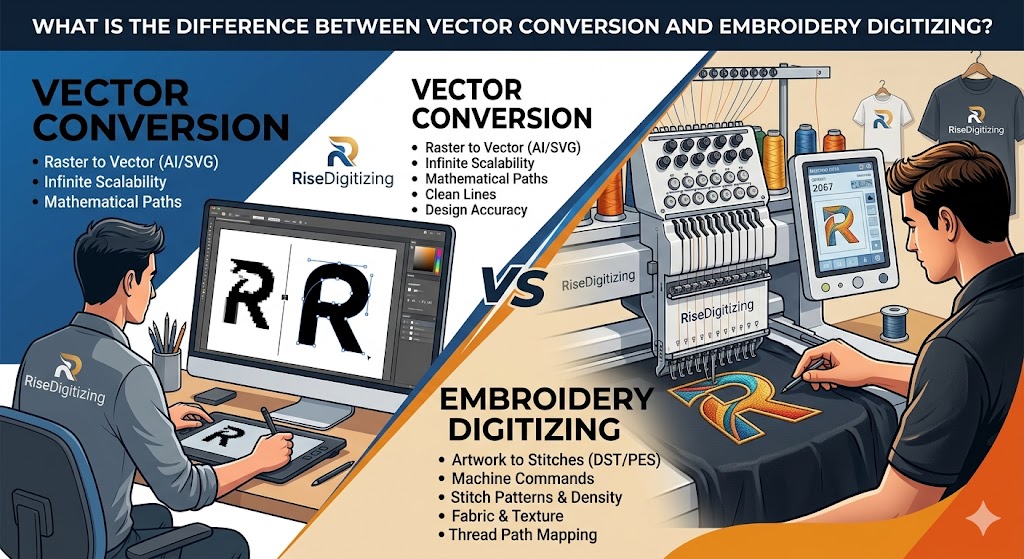

In the world of digital design, branding, and apparel manufacturing, you will constantly hear two terms thrown around: Vector Conversion and Embroidery Digitizing.
If you are a business owner looking to print t-shirts, create promotional merchandise, or scale up your brand’s visual identity, it is easy to get these two confused. After all, both processes take an image and transform it into a digital format.
However, using the wrong format can result in blurry prints, ruined fabrics, and wasted money.
At RiseDigitizing, we help businesses navigate the complexities of digital artwork every day. Let’s break down exactly what vector conversion and embroidery digitizing are, how they differ, and when you need to use each.
1. What is Vector Conversion?
To understand vector conversion, you first need to understand the images we use every day. Most images on the internet (like JPEGs and PNGs) are raster images. Raster images are made up of a fixed grid of colored squares called pixels. If you try to zoom in or blow up a JPEG, it becomes blurry and pixelated.
Vector conversion (also known as vectorization or raster-to-vector tracing) is the process of mathematical reconstruction. It takes that pixel-based image and converts it into mathematical formulas consisting of lines, curves, and nodes.
Key Characteristics of Vector Files:
- Infinite Scalability: You can scale a vector file down to the size of a postage stamp or up to the size of a highway billboard, and it will remain perfectly crisp and sharp.
- Common File Formats:
.AI(Adobe Illustrator),.EPS,.SVG, and.PDF. - Primary Use Case: Graphic design, logo creation, screen printing, vinyl cutting, and large-scale digital printing.
2. What is Embroidery Digitizing?
Embroidery digitizing is an entirely different beast. It is not about creating a scalable graphic; it is about giving instructions to a machine.
An embroidery machine cannot read a JPEG, PNG, or even a vector file. It doesn’t understand “lines and curves”—it only understands stitches.
Digitizing is the art and science of converting a 2D artwork file (either raster or vector) into a digital stitch file that an automated embroidery machine can read. A professional digitizer maps out the path of the needle, determines the stitch types (satin, fill, running stitches), sets the stitch density, and programs thread color changes.
Key Characteristics of Digitized Files:
- Stitch-Based Data: Instead of pixels or math equations, these files contain data on stitch count, machine coordinates, and trim commands.
- Common File Formats:
.DST(Tajima),.PES(Brother),.EXP(Melco), and.EMB(Wilcom). - Primary Use Case: Stitching logos, designs, or text onto physical fabrics like caps, hoodies, polo shirts, jackets, and patches.
The Core Differences: Side-by-Side Comparison
While both services prepare your artwork for production, their mechanics, outputs, and purposes are completely unique. Here is a quick reference table to help you see the differences clearly:
| Feature | Vector Conversion | Embroidery Digitizing |
| Primary Purpose | Scaling artwork for high-res printing. | Translating artwork into machine-readable stitches. |
| Output Type | Math-based paths and curves. | Coordinate-based stitch commands. |
| File Formats | .AI, .EPS, .SVG, .PDF | .DST, .PES, .EXP, .EMB |
| Can it be resized? | Yes, infinitely without loss of quality. | Only within a small margin (typically 10-15%). Major resizing requires redigitizing. |
| Hardware Used | Digital printers, vinyl cutters, lasers. | Commercial embroidery machines. |
| Key Variable | Resolution and line crispness. | Fabric type, push/pull compensation, thread tension. |
When Do You Need Vector Conversion?
You should reach out to a professional vector conversion service like RiseDigitizing if you are planning to use your logo for:
- Screen Printing or Direct-to-Garment (DTG) Printing: For t-shirts, hoodies, and tote bags.
- Large Format Printing: Billboards, banners, vehicle wraps, and trade show displays.
- Signage and Laser Engraving: Creating physical storefront signs or engraving metal/wood promotional items.
- Brand Assets: Keeping a master copy of your logo that will never degrade in quality over time.
When Do You Need Embroidery Digitizing?
You will need to invest in professional embroidery digitizing when you want your branding physically stitched onto apparel. Common projects include:
- Custom corporate polo shirts and uniforms.
- Branded baseball caps, beanies, and hats.
- Custom embroidered patches and emblems.
- Personalized jackets, fleece, and workwear.
Pro Tip: You cannot just change a file extension from
.AIto.DSTand expect it to work. If you renamelogo.aitologo.dst, the embroidery machine will crash or throw an error. It must go through specialized digitizing software guided by an experienced professional.
Why the Two Often Work Hand-in-Hand
For the best possible results in apparel production, these two processes actually work as a team.
If you provide an embroidery digitizer with a blurry, low-resolution JPEG, they have to guess where lines begin and end. This often results in a sloppy stitch out.
However, if you first perform a vector conversion on your logo, you get clean, mathematically perfect lines. When the digitizer uses that vector file as their blueprint, the final embroidery looks exceptionally sharp, clean, and professional.
Get Flawless Designs with RiseDigitizing
Whether you need a crystal-clear vector file for your next marketing campaign or a production-ready stitch file for your apparel line, RiseDigitizing has you covered. We combine cutting-edge technology with seasoned design experts to deliver fast turnaround times and unmatched accuracy.
Don’t let poor file formats hurt your brand’s image. Contact RiseDigitizing today to convert your artwork into perfect vectors or premium digitized embroidery files!


