
Digital embroidery software has transformed the way businesses and hobbyists create embroidery designs. From small home-based setups to professional embroidery studios, the right software determines design quality, stitching accuracy, and overall productivity. Whether you’re searching for advanced digitizing tools or exploring free digital embroidery software, understanding the differences between available solutions is essential.
In this blog, we’ll explore what digital embroidery software offers, how it compares with industry-leading platforms like Wilcom, and what features you should look for before choosing one.
What Is Digital Embroidery Software?
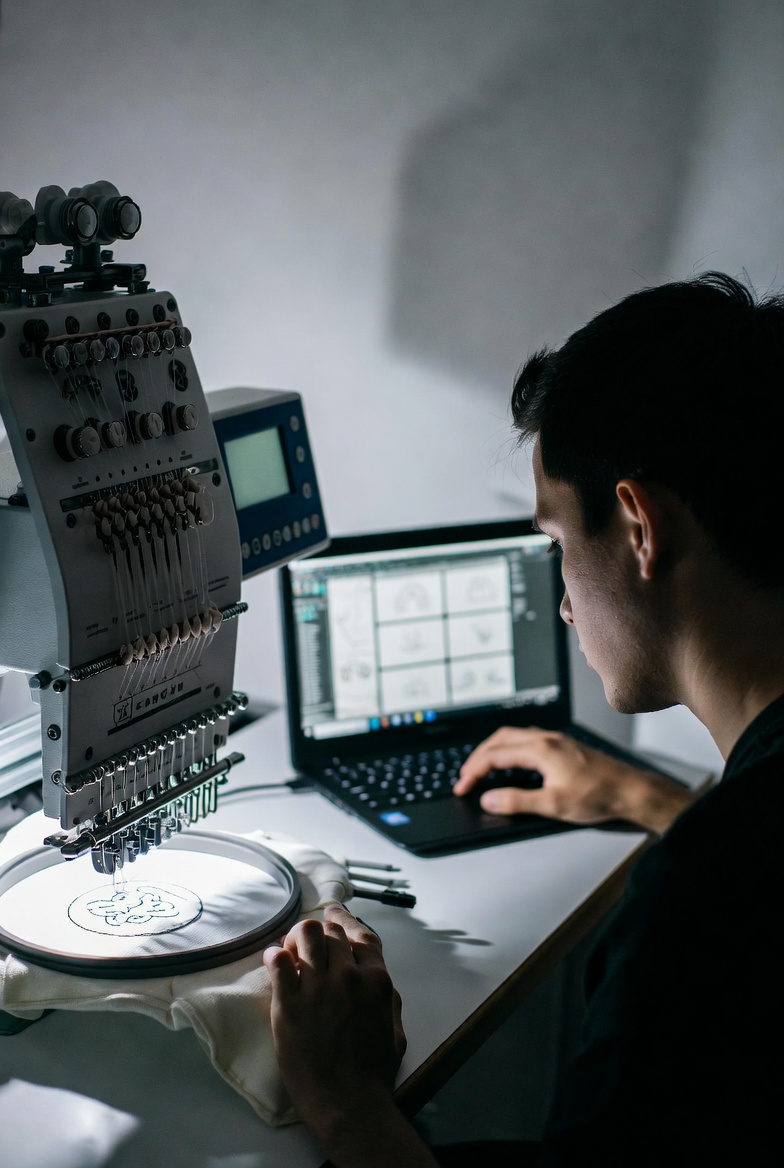
Digital embroidery software allows users to convert artwork, logos, and images into stitch files readable by embroidery machines. These programs provide tools for:
- Auto-digitizing designs
- Manual stitch control
- Lettering and monogramming
- 3D puff embroidery effects
- File format conversion
- Stitch simulation previews
The main goal is to ensure precision, reduce thread breaks, and optimize stitch paths for professional results.
Key Features to Look For
When choosing digital embroidery software, consider these essential features:
1. Auto & Manual Digitizing
Auto-digitizing saves time, while manual controls allow detailed customization.
2. Stitch Editing Tools
You should be able to adjust stitch density, direction, underlay, and pull compensation.
3. File Compatibility
Support for popular formats like DST, PES, JEF, and EXP is crucial.
4. User Interface
A clean, intuitive interface increases productivity.
5. Machine Integration
Software should integrate smoothly with your embroidery machine.
Comparing Standard Digital Embroidery Software with Wilcom
When discussing embroidery digitizing software, Wilcom is often considered an industry leader. However, not every user needs high-end, enterprise-level tools.
Wilcom – Premium & Professional
Wilcom software is widely recognized for:
- Advanced manual digitizing controls
- Superior stitch simulation
- Professional-grade lettering tools
- Commercial embroidery workflow management
It is ideal for large-scale embroidery businesses that require full production control and advanced customization. However, it comes with a higher price point and may feel complex for beginners.
Alternative Digital Embroidery Software – Flexible & Budget-Friendly
Other digital embroidery software options provide:
- Easier learning curve
- Affordable pricing plans
- Essential digitizing tools for small businesses
- Simplified interface
These are great for freelancers, startups, and home-based embroidery businesses that don’t need enterprise-level features but still require reliable stitch quality.
What About Free Digital Embroidery Software?
Many users search for free digital embroidery software to reduce startup costs. While free versions can be useful, they often come with limitations such as:
- Limited editing tools
- Restricted file exports
- Watermarked outputs
- Fewer stitch control options
Free software is suitable for beginners practicing basic digitizing. However, for commercial production and complex logo digitizing, paid versions provide better efficiency and output quality.
Benefits of Using Digital Embroidery Software
Here’s why investing in quality embroidery software matters:
✔ Improved Accuracy
Precise stitch mapping reduces fabric distortion and thread breakage.
✔ Faster Turnaround
Auto-digitizing and built-in templates save time on repetitive tasks.
✔ Cost Efficiency
Optimized stitch paths reduce thread usage and production waste.
✔ Scalability
As your embroidery business grows, advanced software supports larger and more complex projects.
Which One Should You Choose?
Your decision depends on your business needs:
- Beginners or Hobbyists → Start with free digital embroidery software or entry-level programs.
- Small Businesses → Choose affordable, feature-balanced embroidery digitizing software.
- Commercial Studios → Consider premium solutions like Wilcom for full professional control.
If budget isn’t a major concern and you need advanced stitch precision, high-end software provides unmatched control. However, if you’re focused on cost-efficiency and practical functionality, mid-range digital embroidery software can deliver excellent results.
FAQs
1. What is the best digital embroidery software for beginners?
Beginner-friendly embroidery software offers auto-digitizing, simple editing tools, and basic lettering features. Entry-level programs or limited free versions are ideal for learning.
2. Is free digital embroidery software good for business use?
Free software works for practice and small personal projects. However, for professional results and complex logos, paid software provides better stitch control and output quality.
3. Why is Wilcom popular in the embroidery industry?
Wilcom is known for advanced manual digitizing, detailed stitch control, and professional production management features, making it ideal for commercial embroidery businesses.
4. Can digital embroidery software improve stitch quality?
Yes. Proper stitch path optimization, density control, and underlay settings significantly improve design durability and finish.
5. Does embroidery software work with all machines?
Most modern embroidery software supports multiple machine file formats, but compatibility should always be checked before purchase.
Final Thoughts
Choosing the right digital embroidery software depends on your goals, skill level, and budget. While premium platforms like Wilcom dominate the commercial embroidery space, many alternative solutions offer strong functionality at a more affordable price.
If you are just starting out, exploring free digital embroidery software can help you understand the basics. As your skills and business grow, upgrading to more advanced embroidery digitizing software ensures better precision, faster production, and long-term scalability.