🎉 New Customers: Get 7% OFF — Use Code FIRST7
⚡ Fast Turnaround Available — Start Your Order
Professional Logo Digitizing Service in USA
Are you looking for professional logo digitizing services in USA? We specialize in converting your logo and designs into high quality embroidery files that are compatible with all major embroidery machines. Whether you need digitizing for hats, shirts, jackets, uniforms, or campaigner items, our expert team ensures correct sewing accuracy and rapid change. With years of experience, we provide cheap logo digitizing in the United States without compromising on quality.
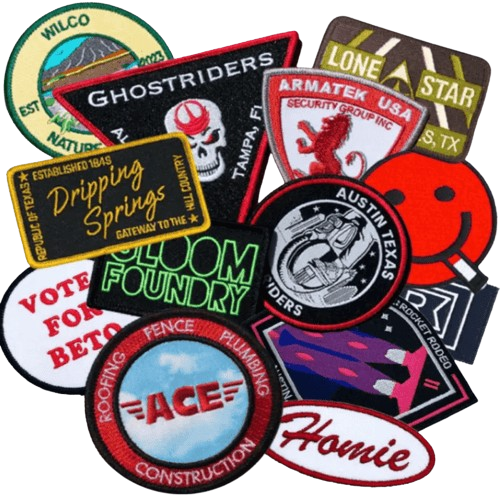
Professional Convert Image to Vector Service in USA
Need to convert image to vector for printing, branding, apparel, signage, promotional products, or another professional use?
Rise Digitizing turns JPG, JPEG, PNG, screenshots, scanned artwork, low-resolution logos, and other raster graphics into clean, scalable vector artwork.
Our vector conversion service is built around four things that matter to production businesses: accuracy, turnaround time, communication, and usable final files.
- Starting Price: $9 depending on design complexity
- Turnaround Time: 1–3 hours for many standard designs
- 24/7 Customer Support
- Unlimited Free Edits Until You Are Satisfied
- Major Vector File Formats Available
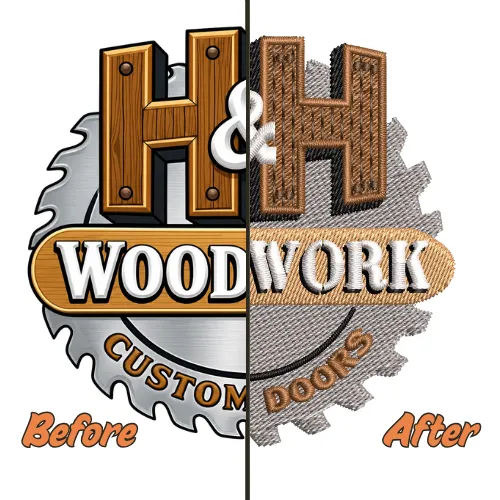
Why Choose Rise Digitizing for Convert Image to Vector Services?
Choose Rise Digitizing for professional convert image to vector services starting at just $9. Enjoy 10+ years of experience, fast 1–3 hour turnaround, unlimited free edits, and 24/7 support.
Files We Can Convert Into Vector Artwork
You do not need to already have perfect source artwork.
Many clients contact us precisely because the original vector file is missing.
We can review artwork supplied as:
- JPG
- JPEG
- PNG
- BMP
- TIFF
- Screenshots
- Scanned logos
- Hand-drawn sketches
- Low-resolution website images
- Existing artwork files
- Old logo references
For the best result, always provide the highest-quality source available.
If you have several versions of the same logo, send all of them. One image may show the lettering more clearly while another may provide a better color reference.
How it works
We received your order along with all relevant details.
You'll get confirmation email after we review your submission.
Our specialists will digitize your files with expertise.
After quality check we'll send you all required files via email.
We look forward to receiving your feedback and experience.
Convert JPG to Vector Without Losing Your Brand Details
JPG is one of the most common formats customers send us.
It is convenient for websites, emails, social media, and everyday sharing, but it is a raster format made from pixels.
That becomes a problem when a small JPG needs to be enlarged.
Imagine your company logo was saved years ago as a 500-pixel-wide JPG.
It may look perfectly acceptable on your website.
Now you need the same logo on:
- A storefront banner
- A trade show display
- A vehicle graphic
- A large printed shirt design
- Promotional signage
Simply stretching the JPG does not create additional logo detail. The existing pixels are enlarged, which can make edges look soft, blocky, or jagged.
Our convert JPG to vector service solves the problem by recreating suitable artwork as scalable vector elements instead of simply making the original JPG larger.
We Can Work With:
- Clean high-resolution JPGs
- Small JPG logos
- Pixelated artwork
- Compressed JPG images
- Old logo files
- Website graphics
- Scanned JPG artwork
- Customer-supplied print files
For highly compressed or blurry images, we recommend sending additional references whenever possible.
The more clearly we can understand the intended artwork, the more accurately it can be recreated.
Convert PNG to Vector for Professional Printing and Production
PNG files are popular because they can support transparent backgrounds and often look clean on websites.
But a PNG is still generally raster artwork.
Transparency does not make an image vector.
If a PNG logo is too small for your printing requirements, enlarging it can still create pixelation or soft edges.
Our convert PNG to vector service recreates suitable PNG graphics using scalable vector elements.
This is particularly useful for:
- Company logos
- Apparel artwork
- Brand icons
- Mascots
- Text-based graphics
- Promotional designs
- Team graphics
- Print artwork
- Simple illustrations
If your PNG already has a clean transparent background, it may provide our artists with a useful visual reference, but the artwork still needs to be converted correctly if true vector output is required.
Convert Logo to Vector for Branding, Printing and Production
Your logo may need to appear in dozens of different places during the life of your business.
- Website headers.
- Business cards.
- Employee shirts.
- Caps.
- Storefront signs.
- Packaging.
- Product labels.
- Banners.
- Vehicles.
- Promotional merchandise.
- Social media graphics.
A low-resolution JPG may work for some of those applications, but it is not an ideal master artwork file.
Our convert logo to vector service is designed for businesses that need a scalable version of an existing logo.
We can recreate suitable logos from:
- JPG files
- PNG files
- Screenshots
- Scans
- Website references
- Old business cards
- Printed examples
- Existing PDFs
- Low-resolution graphics
Lost Your Original Logo File?
This happens frequently.
A business may have hired a designer years ago, changed employees, switched agencies, lost access to an old computer, or simply received only JPG and PNG versions of the logo.
You may not need an entirely new logo.
If the existing design is still correct, it may simply need to be professionally recreated as vector artwork.
Send us the best references available.
Low-Resolution Logo Recreation
Low-resolution logos require more judgment than clean source artwork.
The artist may need to determine what a soft edge was originally intended to look like, whether a small gap is part of the design or caused by compression, and whether irregular lines are intentional.
Typography can be particularly challenging.
A very small JPG may no longer contain enough visual information to identify the exact shape of individual letters.
If you know the original font name, please provide it.
If you have another version of the logo on a website, printed document, social media profile, packaging, or signage, send that as an additional reference.
Our goal is to recreate what the logo was intended to look like, rather than blindly reproducing every pixel defect in a poor-quality image.
Professional Raster to Vector Conversion
Raster and vector graphics are constructed differently.
Raster files are made from pixels.
Vector graphics are built using mathematical paths, lines, curves, shapes, and other scalable elements.
This makes professional raster to vector conversion useful whenever existing artwork needs to be reproduced at different sizes.
Common raster formats include:
JPG, JPEG, PNG, BMP, TIFF, and many scanned-image formats.
Common vector formats include:
AI, EPS, SVG, and vector-based PDF files.
The conversion is not simply a matter of changing one extension into another.
The artwork itself needs to contain vector information.
Why Renaming a JPG to SVG Does Not Make It Vector
This is an important distinction for customers who are new to production artwork.
Suppose your file is:
company-logo.jpg
Changing the name to:
company-logo.svg
does not rebuild the artwork.
It simply changes the filename.
Likewise, placing a raster image inside a vector design program and saving the document as AI or EPS does not necessarily turn the embedded image into true vector artwork.
The graphic itself needs to be recreated, traced, or otherwise converted into vector elements.
This is one reason print providers sometimes reject files that customers believe are vector.
The extension may look correct, while the artwork inside the document is still raster.
Image to Vector Online Tool vs Professional Vector Conversion
You can find many image to vector online tools that automatically trace images.
For some simple graphics, they can be useful.
But automatic conversion and production-quality artwork are not always the same thing.
An automatic image to vector converter typically analyzes differences between pixels and attempts to create paths around them.
If the source image is extremely clean and simple, the result may be acceptable.
Problems become more noticeable with:
- Blurry artwork
- Small lettering
- Complex logos
- Gradients
- Shadows
- Compressed JPGs
- Detailed mascots
- Thin lines
- Multiple overlapping colors
- Low-resolution graphics
Automatic tracing can interpret image defects as real design details.
That may create:
- Excessive anchor points
- Rough curves
- Uneven borders
- Distorted lettering
- Unwanted shapes
- Extra colors
- Difficult-to-edit paths
- Poorly organized artwork
Professional conversion adds human review.
Instead of treating every visible pixel as equally important, the artwork can be interpreted according to what the design is supposed to represent.
Simple Example
Imagine a clean circular logo was saved as a highly compressed JPG.
At high zoom, its edge may look slightly uneven because of compression.
An automatic tool may trace those tiny irregularities.
An experienced artist knows that the intended object is a smooth circle.
The professional result should restore the intended geometry rather than preserve JPG artifacts.
That difference is small on screen but can become obvious when the artwork is enlarged.
When an Automatic Vector Image Converter May Be Enough
Not every project requires professional conversion.
A quick automatic vector image converter may be adequate when:
- The design is extremely simple
- You only need a temporary graphic
- Production accuracy is unimportant
- The artwork has very clean edges
- You do not mind cleaning the result yourself
Professional vector conversion becomes more valuable when:
- The graphic represents your business
- You will print it repeatedly
- You need large-format output
- A professional printer requested vector artwork
- Text needs to remain accurate
- Colors matter
- The artwork will be reused across different production methods
- You do not want to manually repair an automatic trace
If the artwork is going on products customers will see, good source files are worth having.
What Makes a Production-Ready Vector File?
A vector file is only useful if it works for the project it was created for.
Here are some of the qualities we pay attention to when preparing professional artwork.
Clean Curves
Curves should look intentional.
Poorly traced curves may contain dozens of unnecessary points that make the edge appear uneven and make future editing harder.
Cleaner path construction produces smoother artwork.
Accurate Corners
A sharp corner should not become rounded simply because the original JPG was blurry.
Likewise, a rounded corner should not contain small jagged edges caused by pixels.
Consistent Lines
Borders, strokes, and outlines should maintain appropriate visual consistency.
Uneven raster edges should not automatically become uneven vector outlines.
Balanced Shapes
Symmetrical or geometric elements should retain their intended proportions where possible.
Accurate Lettering
Logo typography is often one of the most recognizable aspects of a brand.
Spacing, letter shape, alignment, and proportions matter.
If the original font is known, tell us.
Appropriate Colors
Color areas should be clearly defined.
If your business has specific brand colors, provide the values with your order.
Manageable Paths
Vector artwork should not contain thousands of unnecessary points when a cleaner path can represent the same shape.
Correct File Type
Your final file should match the requirements of the person or equipment using it.
Always tell us what your printer, designer, or manufacturer has requested.
Vector Artwork for Screen Printing
Screen printing often requires artwork that can be separated into clearly defined design elements and colors.
Low-resolution logos can make artwork preparation more difficult, especially around lettering, thin borders, and color boundaries.
Professional vector recreation can provide cleaner source artwork for the print provider to work from.
If you know the number of colors, required dimensions, or other specifications from your printer, include them when submitting the order.
Vector Artwork for DTF and Apparel Printing
DTF printing can reproduce raster graphics, but clean source artwork still matters.
Blurry logos remain blurry simply because they are sent to a different printing process.
If a customer gives your apparel business a tiny logo that must be printed larger, vector recreation can provide a cleaner starting point.
This is especially useful for repeat customer artwork.
Once you have a clean master file, you can use it again when the customer orders new shirts, hoodies, uniforms, or promotional apparel.
Vector Artwork for Signs and Large-Format Printing
Large-format graphics expose image problems quickly.
A logo that looks acceptable at four inches wide can reveal rough edges when printed several feet wide.
Signs, banners, trade show graphics, window graphics, and vehicle applications often benefit from high-quality source artwork.
Converting an old logo to vector can give your sign or graphics provider a much cleaner file to work with.
Vector Artwork for Vinyl Cutting
Vinyl-cutting workflows often rely on clean paths.
Unnecessary nodes, broken paths, rough edges, and very complicated automatic traces can create avoidable production problems.
If the final artwork will be cut rather than simply printed, tell us.
That information helps clarify the intended use of the file.
Vector Artwork for Promotional Products
Promotional product businesses may need the same customer logo applied to many different products.
- Pens.
- Bags.
- Shirts.
- Mugs.
- Signs.
- Tote bags.
- Corporate gifts.
- Displays.
Having clean master artwork can make it easier to prepare the logo for different vendors and production methods.
Vector Artwork for Embroidery Preparation
Vector artwork and embroidery files are not the same.
A vector file tells design software how graphic shapes are constructed.
An embroidery file tells a machine how a design should be stitched.
Embroidery requires additional decisions such as:
- Stitch type
- Stitch direction
- Density
- Underlay
- Sequencing
- Pull compensation
- Trims
- Machine commands
If you need your logo converted for machine embroidery after vector artwork preparation, explore our Embroidery Digitizing service.
Businesses needing ongoing professional stitch-file preparation can also use our Professional Embroidery Digitizing Services.
For logos that will specifically be stitched on structured or unstructured hats, our Cap Embroidery Digitizing Services are designed for cap applications.
How Our Convert Image to Vector Process Works
Getting vector artwork from Rise Digitizing is straightforward.
Step 1: Send Your Artwork
Upload the highest-quality version of your image.
Send multiple references if you have them.
Step 2: Tell Us What You Need
Let us know:
- Intended use
- Desired file format
- Final size if relevant
- Required colors
- Deadline
- Any special instructions
The more useful information you provide, the easier it is to prepare artwork around your production requirements.
Step 3: We Review the Design
Our team reviews the source image for:
- Complexity
- Number of colors
- Lettering
- Fine details
- Source-image quality
- Missing information
- Required reconstruction
If an important part of the artwork is unclear, we may need an additional reference.
Step 4: Artwork Is Converted and Refined
The design is recreated or refined into vector artwork according to the original reference and your instructions.
The amount of work depends on the complexity of the design.
A simple two-color logo may require much less reconstruction than a detailed mascot or illustration.
Step 5: Quality Review
Before delivery, the file is checked for important issues such as:
- Missing elements
- Rough edges
- Curve quality
- Alignment
- Spacing
- Lettering
- Color areas
- Unwanted objects
- Overall similarity to the reference
Step 6: Receive Your Files
Once completed, the requested files are delivered digitally.
Many standard projects can be completed within 1–3 hours.
Very complex artwork may require additional time.
Step 7: Request Revisions if Needed
If you need an adjustment related to the original project requirements, tell us.
Unlimited edits are free until you are satisfied with the completed artwork.
What If My Original Image Is Very Blurry?
We can work with many low-resolution images, but there is an important limitation every professional service should explain.
Vector conversion cannot recover visual information that no longer exists.
For example, imagine a logo contains very small lettering.
If the original image is so blurred that the letters are impossible to identify, no conversion process can know with certainty what those letters originally said.
The solution is to provide additional evidence.
Send:
- Another copy of the logo
- A website screenshot
- A photograph of the printed logo
- An old business card
- Packaging
- A social media image
- The font name
- Brand guidelines
- A previous print proof
These references can help our artist determine the intended design.
Being realistic about source-image limitations helps produce more accurate results.
What If I Do Not Know the Font?
Send the artwork anyway.
If the font can be identified or accurately recreated from the reference, our team will work from the available information.
However, extremely blurry text can make exact font matching difficult.
If you know the original font name, please include it.
For established company logos, also check whether you have an older branding document or design file that lists the font.
What If My Logo Contains Gradients?
Gradients can be recreated in vector artwork where appropriate.
However, the best preparation method can depend on how the artwork will ultimately be produced.
A gradient intended for digital printing may be treated differently from artwork that must later be separated into a small number of solid screen-printing colors.
Tell us your intended production method so the artwork can be prepared with that use in mind.
What If My Artwork Contains Very Fine Details?
Fine details should be reviewed in context.
Some details are important to the identity of the artwork.
Others may be raster artifacts caused by compression, shadows, texture, or low image quality.
The goal of professional vector recreation is not necessarily to trace every visible pixel.
It is to preserve the intended design.
If there are details that absolutely must remain unchanged, tell us when submitting the file.
Built for Businesses That Need Vector Artwork Regularly
Vector conversion is not always a one-time requirement.
Screen printers receive poor customer artwork every week.
Embroidery businesses receive low-resolution logos.
Sign shops are asked to enlarge tiny images.
Promotional product businesses work with brand files from many different companies.
Design agencies inherit incomplete brand assets from clients.
Apparel decorators receive screenshots instead of production artwork.
We understand these situations because artwork preparation is part of an ongoing production workflow.
If you regularly receive customer graphics that need cleaning, rebuilding, or vector conversion, Rise Digitizing can support your recurring projects.
Who We Work With
Our vector services are useful for:
Screen Printing Businesses
Turn poor customer artwork into cleaner source files before production.
Embroidery Shops
Prepare customer logos for approvals, printing, branding, or later embroidery digitizing.
DTF and DTG Businesses
Improve low-quality customer logos before printing them at larger dimensions.
Sign Companies
Recreate logos for banners, storefronts, signs, vehicle graphics, and other large applications.
Promotional Product Companies
Prepare reusable customer artwork for a wide variety of branded merchandise.
Clothing Brands
Maintain clean source artwork for future apparel collections and merchandise.
Graphic Designers
Outsource time-consuming vector recreation when client artwork needs rebuilding.
Marketing Agencies
Prepare old or incomplete brand assets for campaigns, printed materials, events, and client production.
Small Businesses
Restore a logo when the original designer or source files are no longer available.
Schools, Clubs and Teams
Convert mascots, team logos, badges, and organization graphics into scalable artwork.
Individual Customers
You do not need to operate a large company to order professional vector conversion.
Single-design projects are welcome.
Our Approach to Quality
Quality does not mean adding more points to a vector file.
In many cases, fewer well-placed points create smoother curves than hundreds of automatically generated ones.
Quality means understanding the intended shape.
It means knowing when a soft JPG edge should become a clean straight line.
It means recognizing that compression noise is not part of the logo.
It means checking whether the typography remains balanced.
It means knowing that a design being prepared for a vinyl cutter may have different practical requirements than artwork being prepared for a digital printer.
Our goal is to provide artwork that does not merely pass a file-format test.
We want it to be useful for the job you actually need to complete.
Professional Convert Image to Vector Services Across the USA
Our workflow is digital, so customers can submit artwork from anywhere in the United States.
Whether you run a print shop in California, an apparel company in Texas, a sign business in Florida, a marketing agency in New York, an embroidery shop in Illinois, or a small business anywhere else in the country, you can send your artwork online.
Your completed files are delivered digitally.
There is no need to mail physical artwork.
For scans or printed references, simply send the clearest photograph or scan available.
Need More Than One Design Converted?
If your business regularly receives raster artwork, converting files one by one through random tools can consume valuable production time.
Send multiple designs to our team.
We can review the complexity of the artwork and provide pricing based on the project requirements.
Discounts may be available for qualifying orders.
Recurring customers can also use the same workflow for future designs, making artwork preparation more consistent.
Frequently Asked Questions About Convert Image to Vector
To convert an image to a vector means recreating pixel-based artwork as scalable paths, shapes, lines, and curves. Unlike a low-resolution raster image, vector elements can be resized without becoming pixelated in the same way.
Our simple vector conversion projects start from $9. Final pricing depends on design complexity, number of details, colors, typography, source-image quality, and how much reconstruction is required.
Yes. We can convert JPG to vector by recreating suitable artwork as scalable vector elements.
Yes. We can convert PNG to vector for logos, artwork, graphics, mascots, typography, and other suitable designs.
Often, yes.
The accuracy of the final result depends on how much detail is visible in the screenshot. Send the largest and clearest reference available.
Many blurry images can be recreated, especially when the overall shapes and lettering remain recognizable.
If important details are no longer visible, send additional references.
Raster to vector conversion changes artwork that is constructed from pixels into artwork built from scalable vector elements such as paths, curves, lines, and shapes.
No. PNG is generally a raster image format.
A transparent background does not make a PNG vector.
No. JPG is a raster format constructed from pixels.
Yes, particularly for simple artwork.
However, an image to vector online tool may produce rough paths, excessive nodes, inaccurate lettering, or unwanted shapes when working with low-resolution or complicated artwork.
Get Your Vector File Today
Ready to turn your artwork into a sharp, scalable vector file? Upload your JPG, PNG, screenshot, or logo and let Rise Digitizing deliver clean, production-ready artwork.
With prices starting at just $9, fast turnaround, and unlimited free edits within your original requirements, our convert image to vector services make the process simple and affordable.